HavenBinder Guides
HavenBinder Is Now on the App Store
Mea Cara · November 6, 2026 · 3 min read
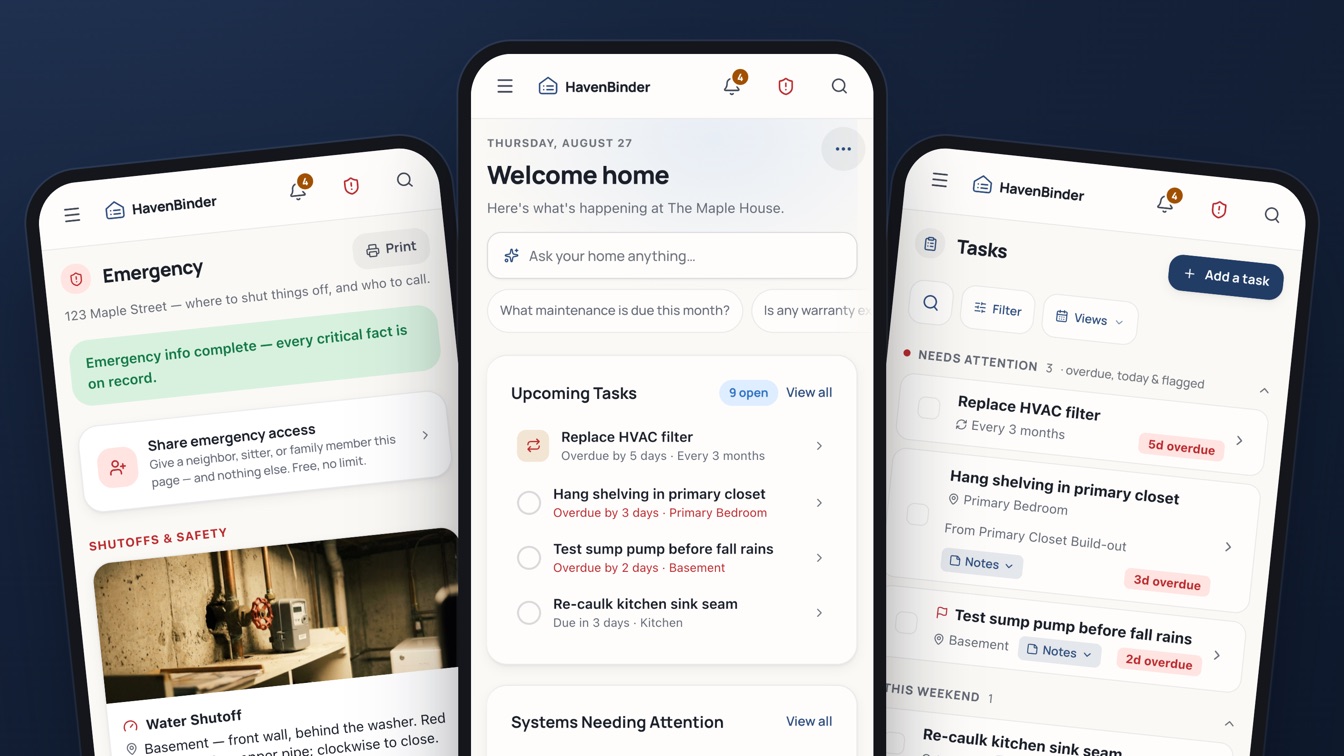
As of this week, HavenBinder is on the App Store. Search for HavenBinder: Home Records, or open it on the App Store straight from your phone. It is free to download, and free for one home.
If you have been using HavenBinder in your phone's browser, nothing changes about your binder. Sign in with the same email and everything is already there. What changes is how it feels to use.
What the iPhone app adds
- The camera, one tap away. Point it at an appliance nameplate, a receipt, or a contractor's quote and HavenBinder reads the details into a record for you to check and save. No typing serial numbers off the back of the dishwasher.
- Reminders that reach you. Filter changes, warranty deadlines, the sump pump test before the fall rains: the app can send a notification before each one is due, if you turn reminders on in Settings.
- Face ID sign-in. Your binder holds things like the alarm code and the Wi-Fi password. The app can lock behind Face ID, so a borrowed phone does not mean a borrowed binder.
- Sign in with Apple or Google, or with an email and password, whichever you already use.
- Premium through your Apple ID. If you want more than the free plan, you subscribe inside the app and manage or cancel it in your iPhone's Settings, the same as any other subscription. Nothing to track down later.
The same binder everywhere
One account, one home record. Add a repair on your phone in the basement and it is on your laptop when you sit down to find the invoice. The full layout is there on a bigger screen; the phone has the camera and the notifications. Most people use both.
On Android, or on any phone, havenbinder.com still works like an app: open it in the browser and add it to your home screen. It opens full-screen, reads offline, and the + button captures a nameplate or a task in a couple of taps.
What it costs
The free plan covers one home, with every section: systems, tasks, rooms, projects, documents, inventory, people, costs, and the Emergency card. Premium and Household are optional subscriptions, yearly or monthly, with the same plans and prices as on the website. In the app they are billed through Apple, with a free trial first. If you already pay on the website, you do not need to subscribe again; sign in and the app knows.
If you are just starting
Download the app, create an account, and answer a few questions about the house. Then start with the one thing you keep looking up. For most people that is the furnace filter size or the water shutoff. Photograph it, save it, and the binder has its first page. Our guide to what a digital home binder is explains what tends to go in next, and the seasonal maintenance schedule is a good second page.
Walk to the water shutoff with your phone, take a photo of the valve, and add it to the Emergency card. That one picture is the thing a house sitter, a relative, or you at 2 a.m. will be glad to have.
A small favor
If the app earns a place on your phone, a rating on the App Store helps other homeowners find it. And if something is wrong, or missing, tell us from Settings → Send Feedback inside the app. We read every one.
Get HavenBinder on the App Store, or start free on the web.
#havenbinder #app-store #iphone #announcement